
Appearance
The Utility Page
Utilities → Cron Guard lists every command Cron Guard has seen, problems first. The Utilities menu shows how many need a look.
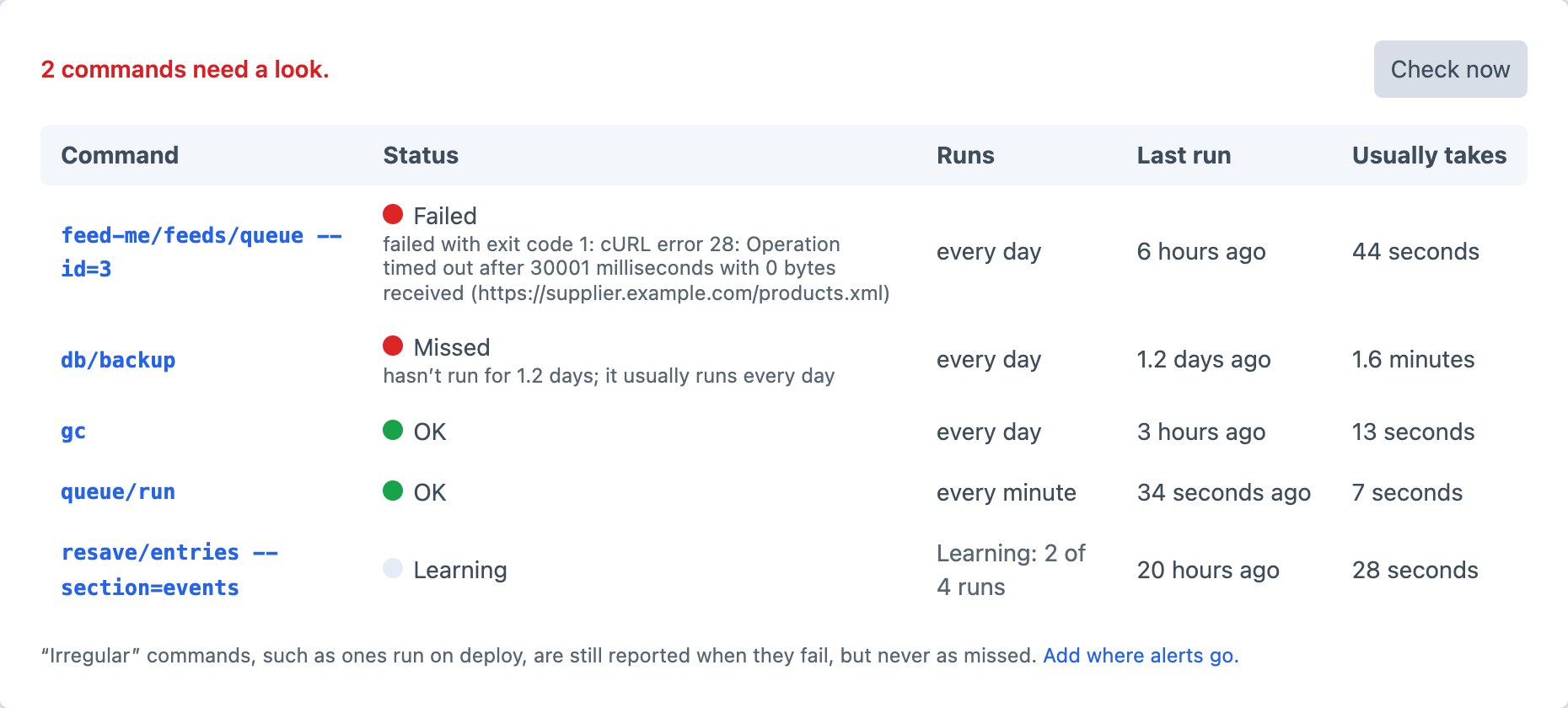
| Column | Shows |
|---|---|
| Command | As cron ran it, with its arguments. Click it to see its runs. |
| Status | OK, Failed, Missed, Stuck, Slow, Learning, No schedule or Muted, with what's wrong. |
| Runs | Its schedule, “Learning: 2 of 4 runs”, or Irregular. |
| Last run | How long ago it last started. |
| Usually takes | Its usual run time. |
Check now runs the check straight away and sends anything new.
A command's runs
Click a command to see its last 100 runs: when each started, how long it took, how it ended with its error message, and its peak memory.
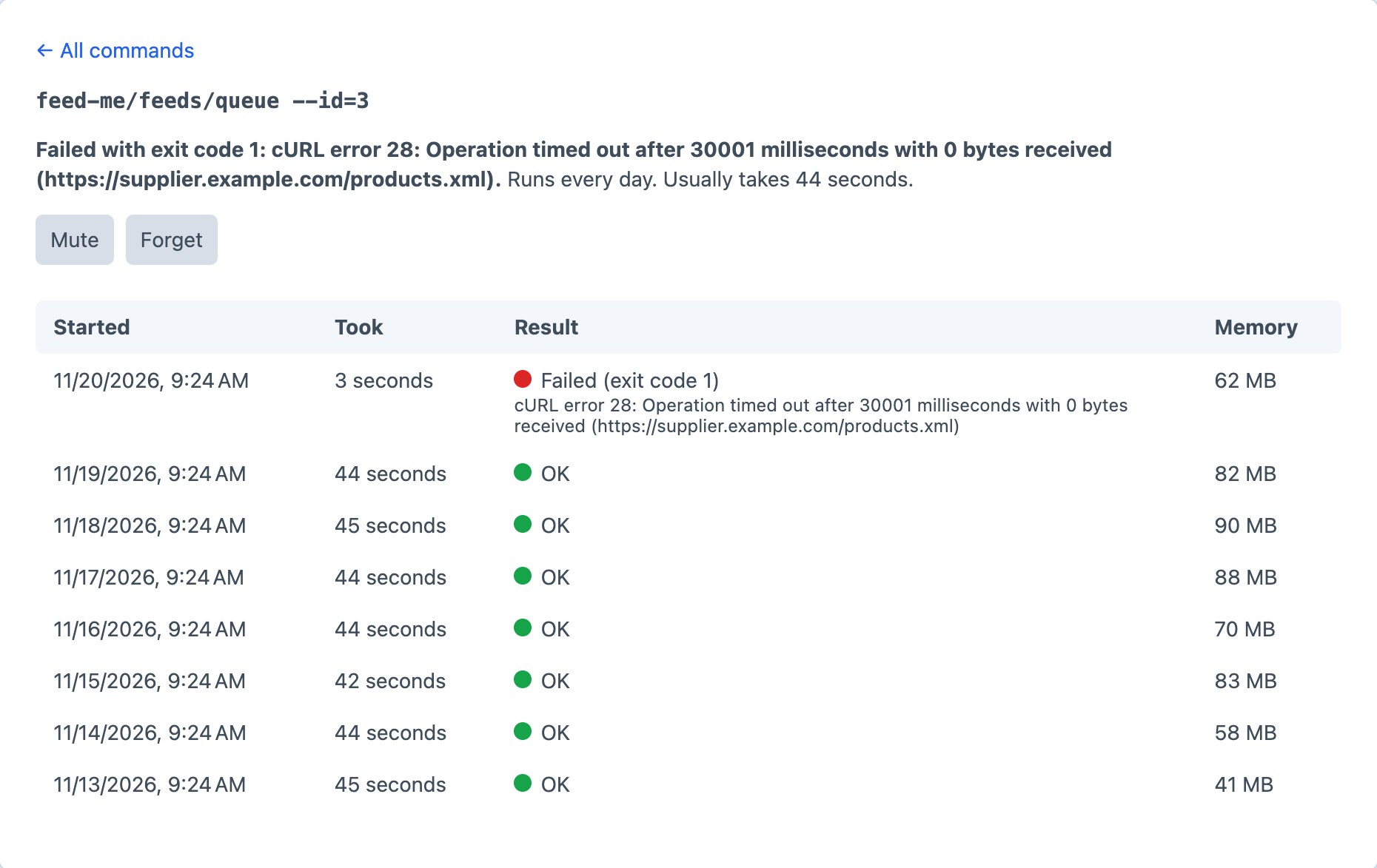
- Mute stops alerts for the command while it's still recorded, such as while you fix it, or for one you don't care about.
- Forget removes the command and its runs. It comes back the next time it runs, which is useful after renaming one.
Who can see it
Anyone with permission to use the Cron Guard utility (Utilities → Cron Guard under a user group's permissions) can see the page and use its buttons. Sending a test alert needs an admin.