
Learns each schedule
After four runs it knows a command runs every minute or every night. Commands run on deploy are recognised as irregular and never reported missing.
Free plugin for Craft CMS 5
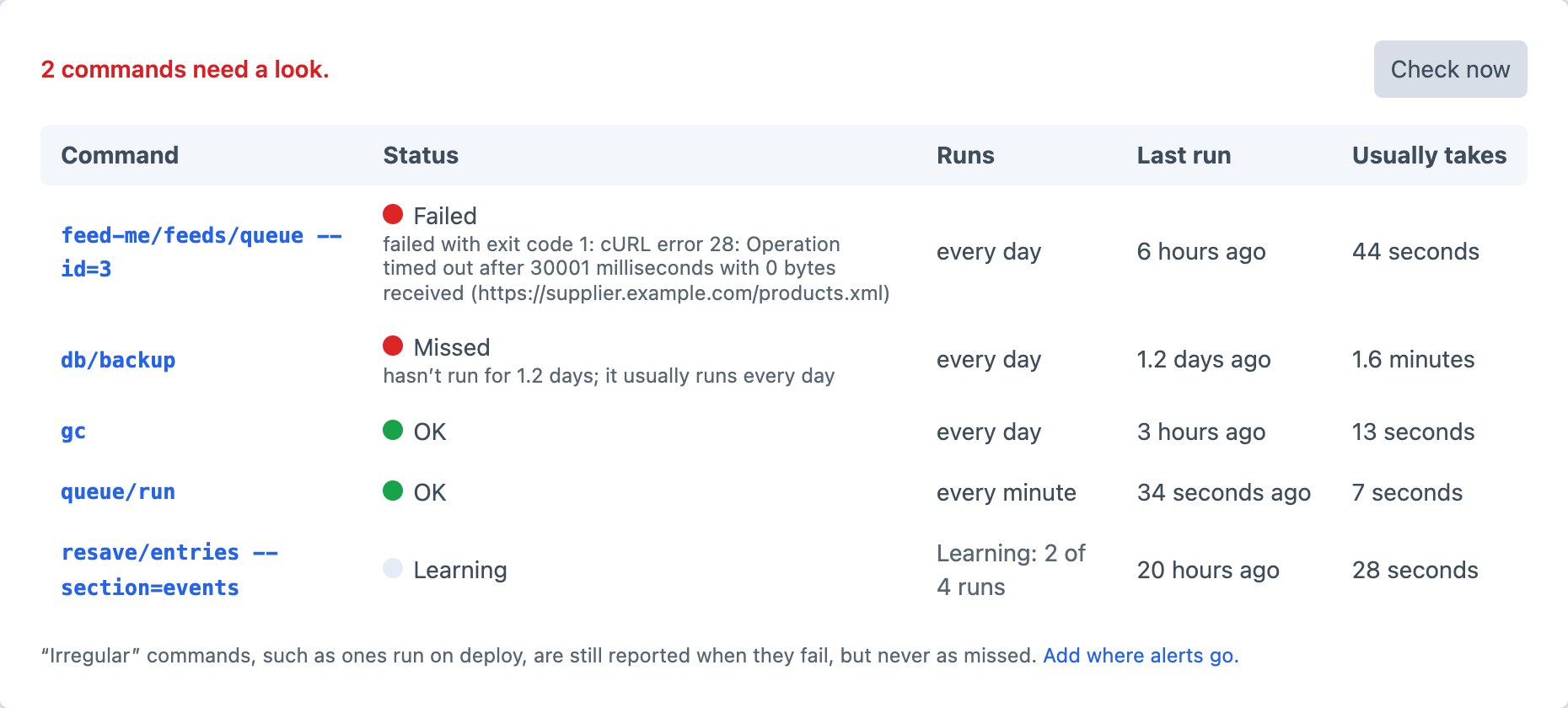
Cron Guard records every command your server’s cron runs, learns how often each one runs, and tells you when one fails, gets stuck, runs slow or stops running. Install it and it starts watching: no config, no extra cron line. Break something below.
What goes wrong
Utilities → Cron Guard
Every command is running as it should.
queue/runOKevery minutefeed-me/feeds/queue --id=3OKevery daydb/backupOKevery daygcOKevery dayPick something on the left to see the alert you’d get.
After four runs it knows a command runs every minute or every night. Commands run on deploy are recognised as irregular and never reported missing.
Your crontab stays as it is. Commands typed in a terminal are ignored, so testing by hand never adds noise.
Sent once, again after a day if it’s still there, and “back to normal” when it’s fixed. Email, Slack, Discord, Teams or a webhook.
Exceptions are saved with their message. Runs killed for memory or time show as stuck, because they never finish.
When every scheduled command is late at once, you get one alert saying cron has stopped, not ten.
A health URL answers 200 or 503, and runs the check, so alerts still go out on a site nobody visits.
Craft CMS 5.6 or later, PHP 8.2 or later. MIT licensed.
composer require suprim/cron-guard && php craft plugin/install cron-guard